
Smoke Monkey Documentation
Smoke Monkey is the zero-dependency TypeScript runtime designed to help developers build autonomous looping AI agents, code editors, and agentic workflows with React, Next.js, and Node.js.
Why use Smoke Monkey Harness?
Building AI agents with unconstrained ReAct loops or monolithic frameworks results in infinite hallucination loops, context window exhaustion, and opaque failures. Smoke Monkey replaces black-box abstractions with a deterministic 6-phase state machine, automated loop guards, and a clean separation of concerns:
Pure Node.js built-ins. Runs in lightweight workers, microVMs, or servers.
Explore → Plan → Edit → Verify → Recover → Complete.
Non-blocking pauses for tool permissions, questions, and external MCP approvals.
Interactive Architecture & Phase Flow
Pan, zoom, drag nodes, and switch tabs below to inspect how tasks move through the 6-phase cycle, human pauses, and the 3-pillar ecosystem:
The 3 Pillars of Smoke Monkey
Execution is distributed across three modular libraries designed to work in synergy or independently:
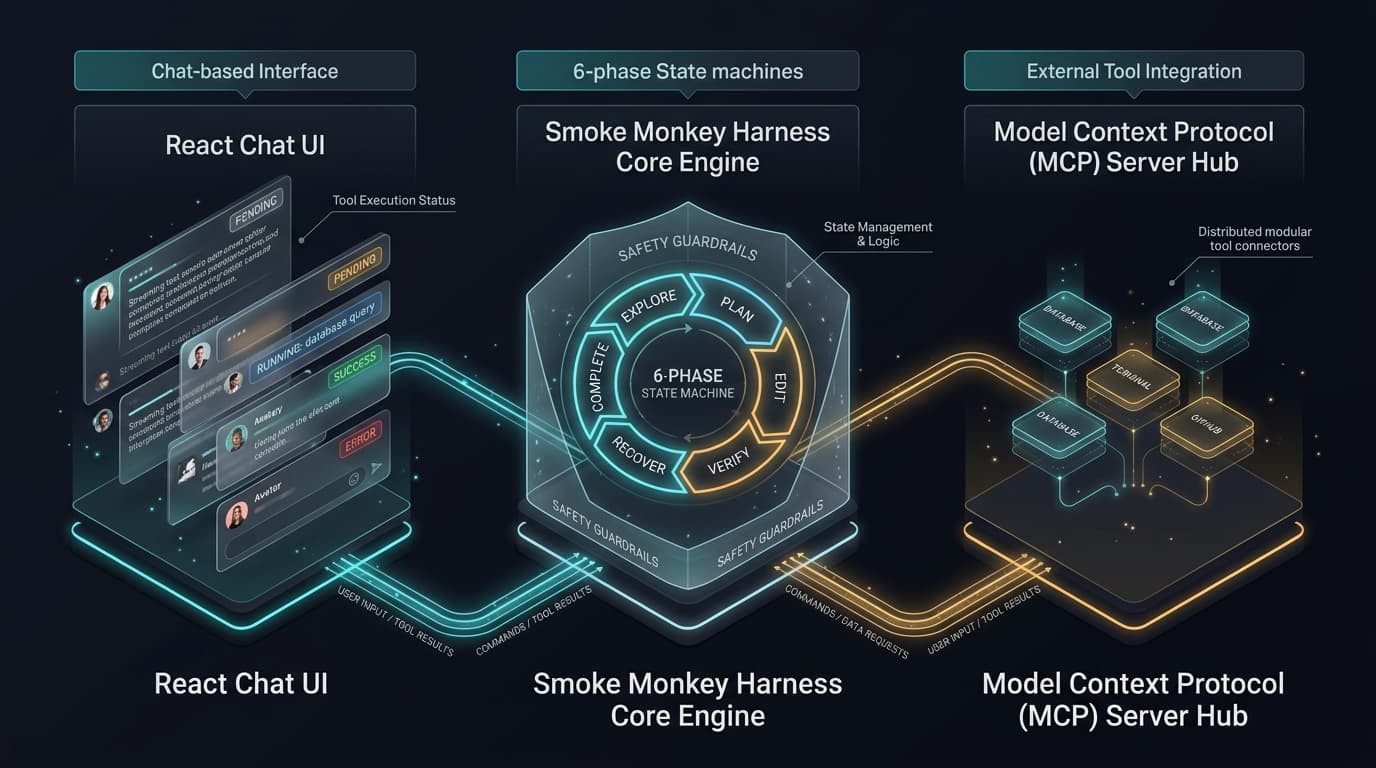
@smoke-monkey/ui
Drop-in React chat interface: streaming markdown, collapsible tool cards, charts, and 14 theme presets.
@smoke-monkey/harness
Autonomous execution loop with 6 phases, automated loop guards, 24 tools, and JIT skills discovery.
@smoke-monkey/mcp
22 tools for scaffolding, planning, and verifying agents from Claude Code, Cursor, Codex, and Windsurf.
Minimal Autonomous Agent
Create an agent in 20 lines of code. Planning, tool invocation, and streaming are handled for you:
import { createAgent } from '@smoke-monkey/harness';// 1. Initialize the autonomous harnessconst agent = createAgent({provider: 'nvidia', // Reference providermodel: 'nvidia/nemotron-3-super-120b-a12b',workspacePath: process.cwd(),autoApprove: true, // Execute safe tools automatically});// 2. Stream tokens in real timeagent.on('text.delta', (e) => process.stdout.write(e.data.delta));agent.on('tool.started', (e) => console.log(`\n⚡ Tool invoked: ${e.data.toolName}`));// 3. Execute an autonomous engineering taskconst result = await agent.run('Inspect this codebase and count total lines of code in src/');console.log(`\n\n✅ Finished with status: ${result.status}`);